Device Availability
Provides monitoring and tracking of device availability and uptime over specific time periods.
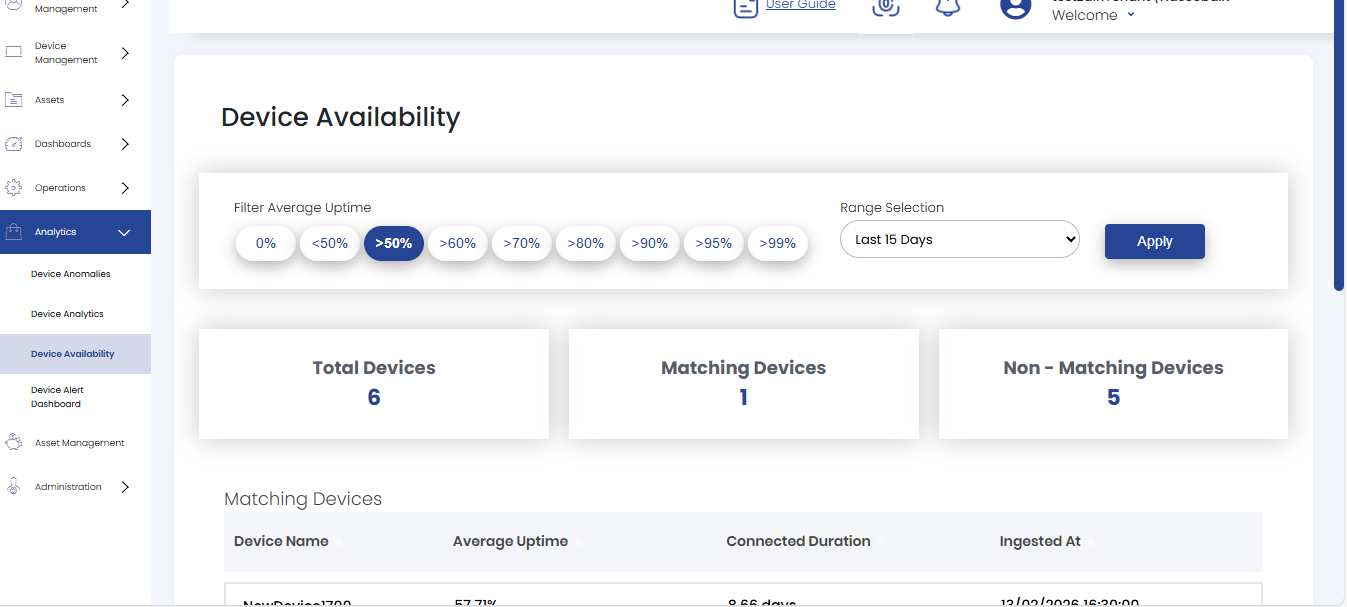
 Time Range: Select the desired time range from the dropdown menu.
Filter Average Uptime: Select the required uptime percentage filter to refine the device list.
By default, the time range is set to Last 24 Hours and the average uptime filter is set to >50%
Total Devices displays the total number of devices.
Matching Devices shows the count of devices that meet the selected average uptime filter criteria within the chosen time range.
Non-Matching Devices displays the number of devices that do not meet the selected average uptime filter criteria within the chosen time range.
Device Uptime Tables
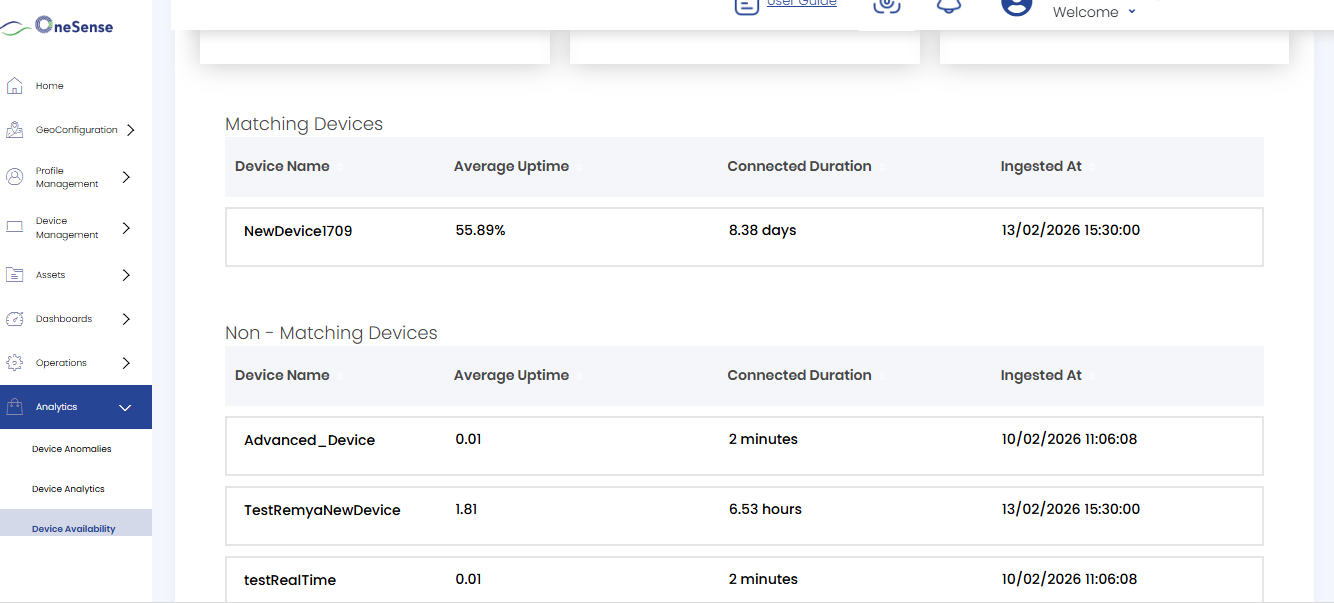
Matching Devices Table: Displays a detailed list of all devices that meet the selected uptime filter criteria. The table includes the following columns:
- Device Name: The name of the device (clickable to view detailed uptime chart)
- Average Uptime: Percentage of time the device has been available
- Connected Duration: Total time the device has been connected (displayed in days, hours, or minutes)
- Ingested At: Timestamp when the device data was last ingested into the system
Non-Matching Devices Table: Shows devices that do not meet the selected uptime filter criteria. This table contains the same columns as the Matching Devices table
Device Uptime Percentage Chart
Click on any Device Name in either the Matching or Non-Matching Devices table to view a detailed uptime chart for that specific device.
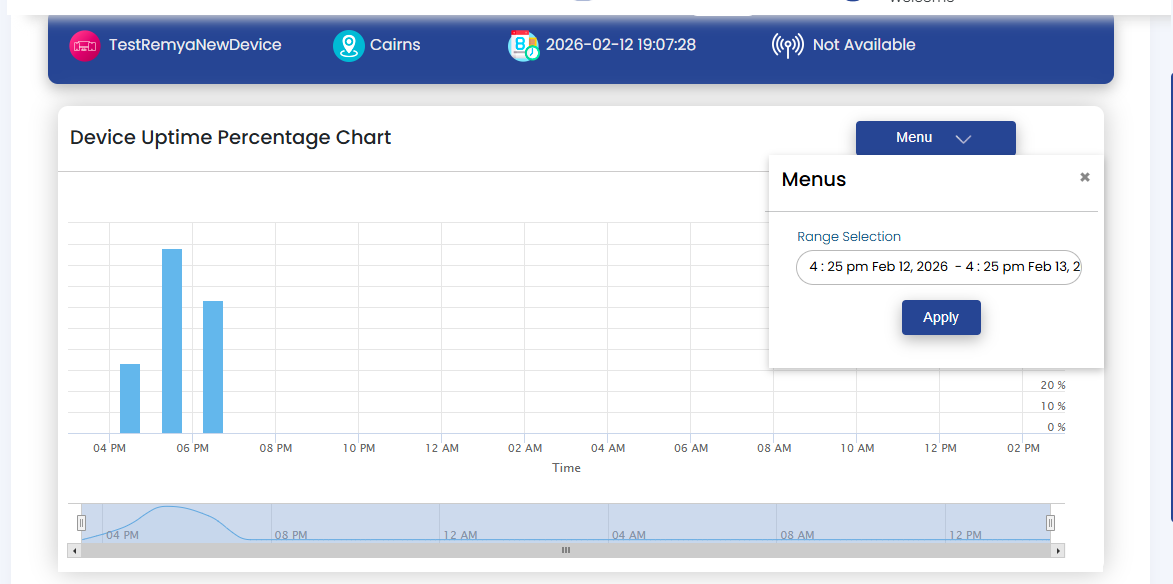
Click the "Menu" button in the top-right corner of the chart to select the time range for the uptime view.